
Explore The Best AI Websites & Tool
Your all-in-one toolkit for productivity, creativity, and development. Over 40 powerful tools to streamline your workflow.
SearchHow to Use Whisper AI: A Comprehensive Guide
Introduction to Whisper AI
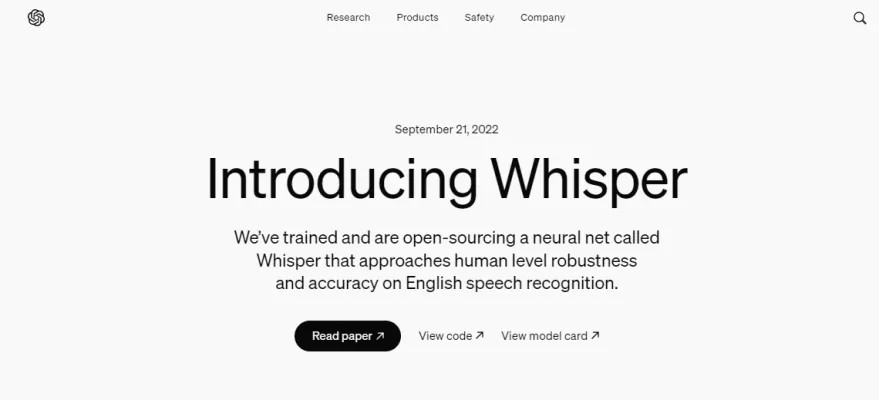
Whisper AI is an advanced speech recognition model developed by OpenAI, designed to transcribe spoken language into text with high accuracy. Trained on a massive dataset of 680,000 hours of multilingual audio, Whisper excels in understanding diverse accents, vocabularies, and contexts. Its multitasking capabilities allow it to perform various speech-related tasks, including multilingual transcription, speech translation, and language identification, all within a single model framework.
Utilizing a Transformer-based architecture, Whisper processes audio by breaking it down into phonetic components and predicting the most likely word sequence, resulting in impressive transcription accuracy. With the ability to support 99 languages and handle challenging acoustic conditions, it offers significant benefits for applications such as meeting transcription, voice assistance, and automatic captioning.
Whisper's versatility makes it a valuable tool for businesses and developers seeking to enhance communication, accessibility, and automation in various domains. By streamlining tasks traditionally reliant on manual input, Whisper AI represents a significant advancement in the field of automated speech recognition.
Use Cases of Whisper AI
Whisper AI's versatile capabilities make it a game-changer for various sectors, driving innovation and efficiency in handling spoken content. Here are some prominent use cases:
- Transcription Services: Whisper AI excels in accurately transcribing audio and video content, making it invaluable for professionals in media, education, and legal sectors who require precise transcripts for meetings, lectures, interviews, and court proceedings.
- Language Learning Tools: Educators and language learners can utilize Whisper AI for real-time speech recognition and transcription, providing instant feedback on pronunciation and fluency to enhance the language acquisition process.
- Podcast and Audio Content Indexing: Content creators can leverage Whisper AI to generate text-based versions of their audio content, improving accessibility and searchability for users.
- Customer Service Automation: Companies can implement Whisper AI to transcribe and analyze customer service calls in real-time, enabling immediate insights into customer feedback and improving service quality.
- Market Research Analysis: Researchers can automate the transcription of focus group discussions and interviews, facilitating quicker analysis of customer feedback and informing product development and marketing strategies.
How to Access Whisper AI
To access OpenAI's Whisper AI for speech recognition, follow these steps:
- Install Python from the official website.
- Install Git from the official Git website.
- Install FFmpeg from FFmpeg's official site.
- Clone the Whisper repository using Git.
- Install Whisper as an editable package.
- Use Whisper via command line or Python scripts.
These steps will enable you to successfully access and utilize Whisper AI for your speech recognition needs.
How to Use Whisper AI
Using Whisper AI involves the following steps:
- Choose your installation method (local installation or cloud-based using Google Colab).
- Set up your environment by installing necessary prerequisites.
- Upload audio files in supported formats.
- Run the transcription command.
- Review the output for accuracy.
- Explore advanced features such as language specification and model size adjustment.
By following these steps, you can efficiently utilize Whisper AI for accurate speech-to-text transcription.
How to Create an Account on Whisper AI
Creating an account on Whisper AI is a straightforward process:
- Visit the Whisper AI signup page.
- Verify that you are human by completing any CAPTCHA or verification tasks.
- Enter your email address and create a strong password.
- Enable cookies in your browser settings if prompted.
- Check your email for a confirmation message and click the provided link to verify your email address.
- Log in to your new account and complete any additional profile information as required.
After completing these steps, you'll be ready to start using Whisper AI and enjoy its transcription capabilities.
Tips for Using Whisper AI
To maximize your experience with Whisper AI, consider the following tips:
- Prepare high-quality audio recordings in a quiet environment using a good microphone.
- Save audio files in compatible formats such as MP3 or WAV.
- Install all necessary tools and prerequisites carefully, following the detailed installation guide.
- Experiment with prompts to guide Whisper's output and improve accuracy, especially with proper nouns or specific styles.
- Choose the appropriate Whisper model based on your resource capabilities and accuracy requirements.
- Always review and edit transcriptions manually, as Whisper may struggle with punctuation and speaker differentiation.
By following these tips, you can ensure efficient and accurate speech-to-text conversions using Whisper AI.
In conclusion, Whisper AI represents a significant advancement in speech recognition technology, offering a wide range of applications across various industries. By understanding its capabilities, learning how to access and use it effectively, and following best practices, users can harness the full potential of this powerful tool to enhance communication, accessibility, and productivity in their respective fields.
Trending

Cognito Review: Revolutionizing STEM Learning Online
Discover how Cognito transforms STEM revision with AI-powered features, 400+ video lessons, and 250M+ practice questions. Explore our guide for practical tips.
How to Use Tactiq.io: AI Meeting Assistant Guide
Discover how to maximize productivity with Tactiq.io, the AI-powered meeting assistant. Learn setup, features, and tips for efficient virtual meetings. Explore now!
Rezi Review: AI-Powered Resume Builder for Job Seekers
Discover how Rezi's AI-powered resume builder revolutionizes job applications. Explore features, benefits, and alternatives in our comprehensive guide.

SoundHound AI Review: Revolutionizing Voice Technology 2024
Explore SoundHound AI's features, benefits, and alternatives in our comprehensive 2024 review. Discover how this voice tech leader is transforming businesses.

Eagle AI Review: Revolutionizing Risk Management with AI
Discover how Eagle AI transforms risk management in finance. Explore features, benefits, and alternatives in our comprehensive guide to AI-powered compliance.