
Explore The Best AI Websites & Tool
Your all-in-one toolkit for productivity, creativity, and development. Over 40 powerful tools to streamline your workflow.
SearchKaiber AI: Unlocking the Power of the New Superstudio Features
Artificial intelligence is making waves in almost every field, and Kaiber AI is no exception. If you're into video or image creation, you’ve probably heard about Kaiber, a platform that’s been making a name for itself in AI-generated video production. Well, buckle up, because Kaiber AI just got a significant upgrade, and it’s about to make your life a whole lot easier—especially if you're all about creating seamless and high-quality content.
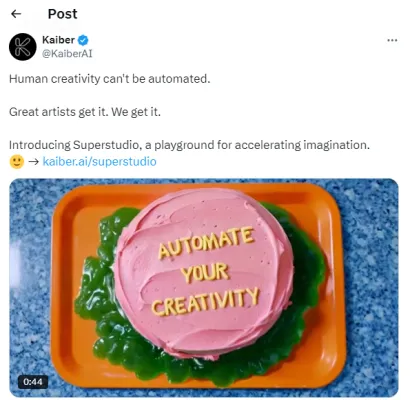
Kaiber's new features Superstudio make everything from creating images to turning them into videos a breeze, and in this guide, I'm going to walk you through the process step by step.
What’s New in Kaiber AI?
Kaiber has been around for a minute, but they’re continuing to push the envelope. The latest update is huge, introducing new features like Luma Video and Flux image, which can now be used directly in Kaiber’s interface. These modules let you make jaw-dropping transitions between your images and videos like never before. But it’s more than just flashy designs—Kaiber gives you full creative control, all while making the process simple for both beginners and experienced users.
Kaiber is particularly known for its video-to-video capabilities, allowing you to take any footage—whether AI-generated or not—and make it look stunning in 4K resolution. For content creators, this means you can enhance your existing videos or start from scratch with AI-generated clips that look incredibly polished.
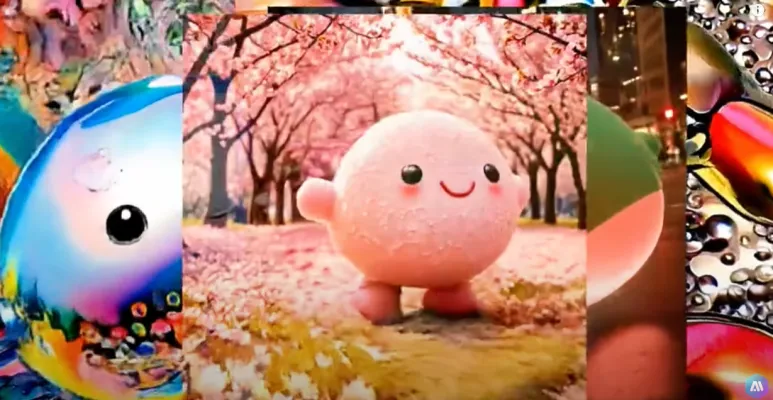
How To Use Kaiber AI Superstudio Features
Getting started is surprisingly simple, but it can feel a bit overwhelming at first glance. Don’t worry—I’ve got you covered. Let’s break it down.

Before anything else, head over to the official Kaiber website (https://www.kaiber.ai/). Sign up for an account if you haven’t already. After logging in, you’ll land on Kaiber’s main canvas screen.
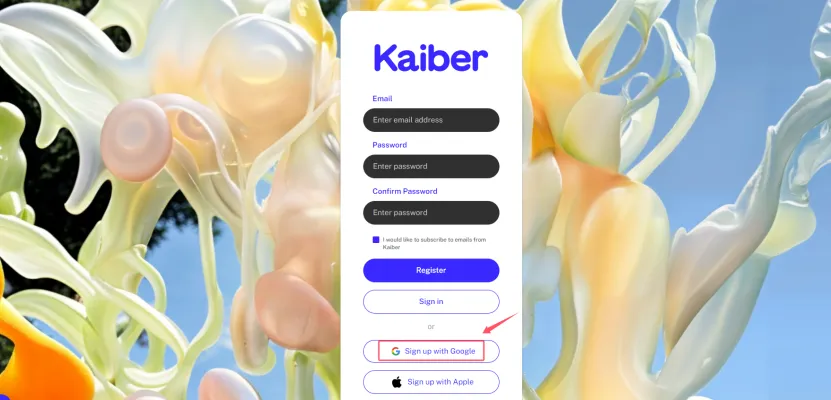
This canvas serves as the command center for all of your creations. I know, it might look a bit complicated at first, but once you dive in, it’s way simpler than it seems.
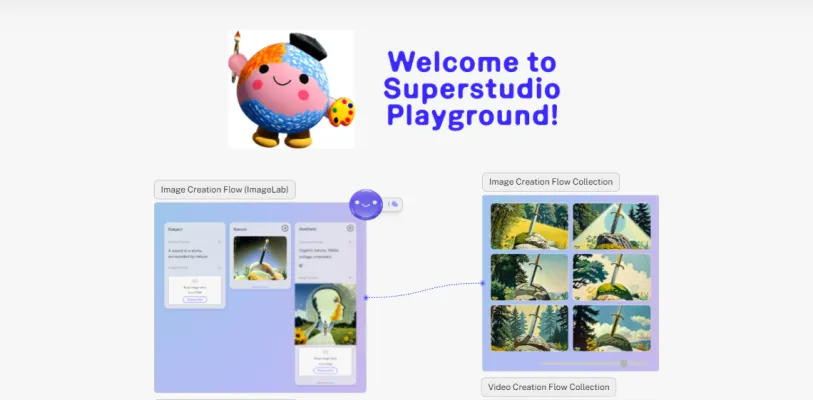
On the left side of the canvas, you’ll see a plus sign—this is where you kick off the creative process. Clicking the plus sign creates a new canvas where you can start building your workflow. There are several modules available, but let’s focus on two that are brand new in this update: Flux image and Luma Video.
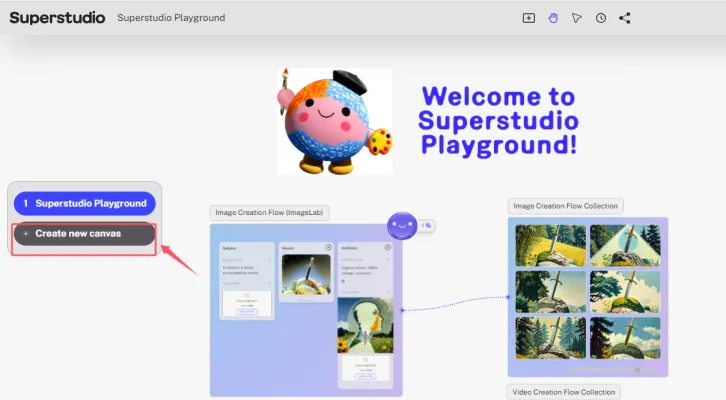
We’ll start with Flux image. It's incredibly easy to use. Just click and drag it onto your canvas, and then type in a simple prompt. Next, hit the smiley face icon at the top-right corner—that's the generate button. In just a few seconds, your image will pop up on the screen.
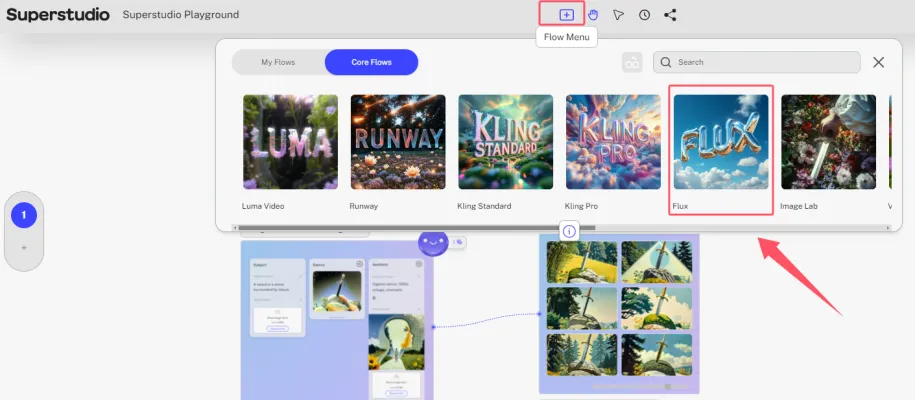
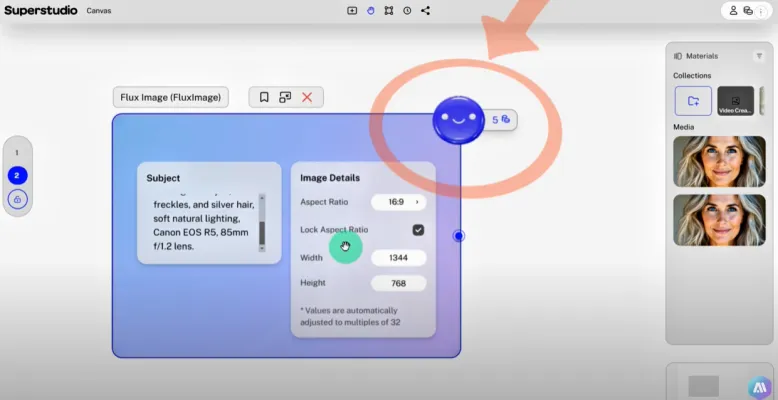
Prompt: "High-resolution studio photograph of a middle-aged woman with striking blue eyes, freckles, and silver hair, soft natural lighting, Canon EOS R5, 85mm f/1.2 lens."
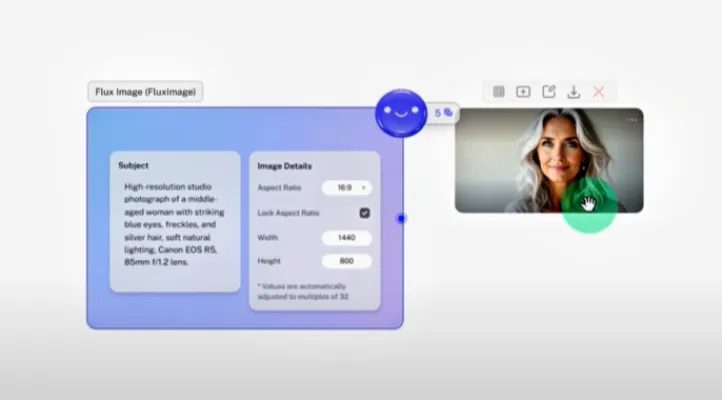
Honestly, the results are stunning. What’s even cooler is you can click the generate button again to get a new version of the image. Since Kaiber gives you an "infinite canvas," you’ll never run out of space to experiment—just use the corner navigation tool to keep everything organized.
So, you've got a cool image, but what about turning it into a video? That’s where Luma Video comes in. Head back to the workflow menu and drag the Luma module onto the canvas. Now, you can start adding keyframes for your video. Keyframes serve as the start and end of your animation.
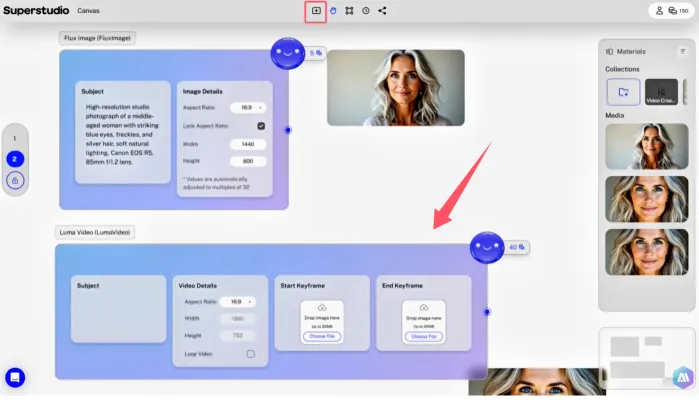
To make things even easier, simply drag the Flux-generated image into the Luma module, or you can upload your own file if you prefer. Once you’ve got your image in place, add a prompt, like "eating a burger", and hit generate once again. You’ve got yourself a video in just a few clicks. Sure, the facial expressions might look a bit exaggerated at first, but hey, it gets the job done incredibly fast.

Affordability: Is Kaiber Worth It?
One of the standout features of Kaiber is its pricing. At just $15 a month, it’s incredibly affordable for the power and flexibility that you get. Compared to other AI platforms, this feels like a steal, especially when you realize how seamlessly it integrates both image and video production features.

For that price, you're essentially getting a full creative studio that’s simple to use, insanely powerful, and cuts your production time in half. Whether you’re working on client projects or personal content, Kaiber's subscription is a no-brainer for anyone who values high-quality and quick turnaround times.
Final Thoughts
Kaiber AI is proving that the future of video and image creation is here, and it’s easier than ever to create professional-level content. With new features like Flux image and Luma Video now baked right into the platform, Kaiber gives you the power to transform basic prompts into stunning visuals and seamless videos. Plus, at just $15 per month, it’s accessible to almost anyone looking to elevate their content.
If you’re serious about your creative projects, Kaiber's upgrades are something you can’t afford to ignore. Subscribe to stay updated on the latest Kaiber tips and tricks, because this is just the beginning.

Ready to start creating? Check out Kaiber AI today and see where your imagination can take you. For information on other popular AI video generators, AIPURE(https://aipure.ai) is your best resource.
Trending

Resemble AI Voice Generator with text-to-Speech Review
Explore our comprehensive guide on Resemble AI's Voice Generator. Learn about its powerful TTS and STS features, benefits, and alternatives. Discover practical tips now!
Google's Gemini Live Brings Advanced Voice Chat to Your Phone
Google's Gemini Live offers a more natural conversational AI experience and challenges Siri and OpenAI’s advanced voice modes, but falls short of expectations in some areas.
AI Face Swap Online Review: Transform Photos & Videos
Discover the power of AI Face Swap Online. Learn how to create stunning face swaps, explore key features, and find alternatives. Read our comprehensive guide now!
How to Use Resemble AI Voice Generator: TTS & STS Guide
Explore our comprehensive guide on using Resemble AI Voice Generator for text-to-Speech and Speech-to-Speech. Learn practical tips and unlock AI voice potential.
KaneAI Review: Revolutionizing E2E Testing with AI | 2023
Discover how KaneAI is transforming end-to-end testing with AI-powered assistance. Explore our comprehensive guide for practical insights on boosting your testing efficiency.