
Explore The Best AI Websites & Tool
Your all-in-one toolkit for productivity, creativity, and development. Over 40 powerful tools to streamline your workflow.
SearchHow to Use Cognito: Free Online Revision Guide
What is Cognito
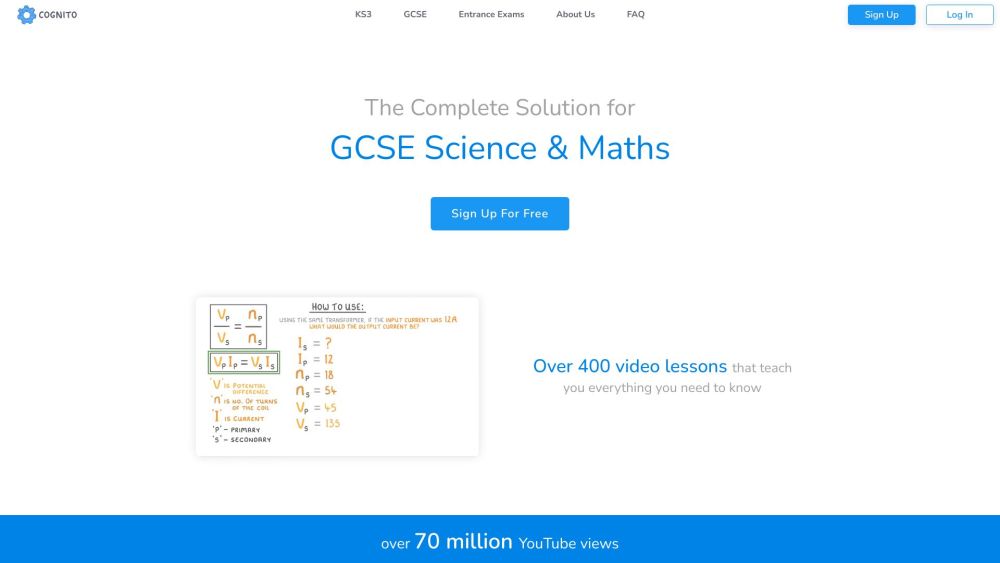
Cognito is a comprehensive online learning platform designed to support students in their academic journey, particularly in the subjects of Maths and Science. Founded in 2018 by Amadeus and Tom, Cognito has grown to serve over 500,000 students, offering a vast array of free revision resources tailored for KS3, GCSE, and A-Level exams. The platform is notable for its user-friendly interface and structured content, which includes over 400 video lessons, interactive practice questions, flashcards, and past papers with mark schemes.
One of Cognito's key strengths is its coverage of multiple exam boards, including AQA, CIE, Edexcel, iGCSE Edexcel, OCR, SQA, and others, ensuring that students can find resources relevant to their specific curriculum. The platform also provides tools for progress tracking, helping students identify their strengths and weaknesses. With over 70 million YouTube views and 250 million questions answered, Cognito has established itself as a reliable and engaging resource for students preparing for their exams. Whether you're looking to improve your grades or need additional support outside of school, Cognito offers a wealth of free and accessible materials to help you succeed.
Use Cases of Cognito
- Comprehensive Revision and Exam Preparation: Cognito serves as an invaluable resource for students preparing for GCSE, A-Level, and KS3 exams in Maths and Science. With over 400 video lessons covering the entire curriculum, interactive exam questions, and past papers with detailed mark schemes, students can gain a deep understanding of key concepts and practice under exam conditions.
- Personalized Learning and Progress Tracking: The platform's advanced progress tracking feature allows students to monitor their strengths and weaknesses. Handcrafted questions and flashcards reinforce learning and help identify areas needing improvement, ensuring more effective study sessions.
- Entrance Exam Preparation: Cognito offers resources for entrance exams from 7+ to 16+, including practice papers, video lessons, and interactive questions. This comprehensive preparation increases students' chances of success when applying to prestigious schools or universities.
- Teacher and Parental Support: Educators can use Cognito's comprehensive content and progress tracking features to monitor student performance and provide targeted support. Parents can also utilize the platform to assist their children with homework and exam preparation.
- Global Accessibility: Supporting multiple languages and a wide range of exam boards, Cognito caters to international students and those following different curricula, making high-quality educational materials accessible worldwide.
How to Access Cognito
- Visit the Cognito website at https://cognitoedu.org.
- Click on the "Sign Up For Free" button on the homepage.
- Fill in the required details, including your email address and password, to create an account.
- Once registered, log in using your email and password.
- Navigate the platform using the menu to select your level, subject, and exam board.
- Access various resources such as video lessons, practice questions, flashcards, and past papers.
- Use the progress tracking feature to monitor your learning journey and identify areas for improvement.
How to Use Cognito
- Sign Up: Create a free account on the Cognito website.
- Navigate the Platform: Use the menu to select your level, subject, and exam board.
- Access Video Lessons: Watch over 400 video lessons covering essential topics.
- Practice with Questions and Quizzes: Use interactive questions to test your understanding.
- Use Flashcards: Quickly review and memorize important content.
- Practice Exam-Style Questions: Work through thousands of interactive exam questions organized by topic.
- Review Past Papers: Download and solve past exam papers under simulated exam conditions.
- Track Your Progress: Regularly review your progress to adjust your study plan and focus on areas needing improvement.
How to Create an Account on Cognito
- Visit https://cognitoedu.org and click "Sign Up For Free."
- Fill out the registration form with your first name, last name, email, and password.
- Agree to the Terms and Conditions and Privacy Policy.
- Click "Create an account" to submit your information.
- Check your email for a verification link and click it to confirm your email address.
- Log in to your newly created account on the Cognito website.
Tips for Using Cognito Efficiently
- Customize Your Dashboard: Tailor it to your specific exam board and subjects for focused learning.
- Utilize Video Lessons: Watch and rewatch lessons to grasp complex topics fully.
- Practice with Flashcards: Regularly review flashcards for effective memorization.
- Take Handcrafted Questions: Complete questions after each lesson to test your understanding.
- Track Your Progress: Monitor your strengths and weaknesses to focus your study time effectively.
- Explore Past Papers: Practice with past papers to familiarize yourself with exam formats.
- Join the Community: Connect with other students to share tips and discuss topics.
By following these guidelines and tips, you can make the most of Cognito's extensive resources and enhance your exam preparation. With its user-friendly interface, comprehensive content, and personalized learning features, Cognito is an excellent tool for students aiming to improve their understanding and performance in Maths and Science.
Trending

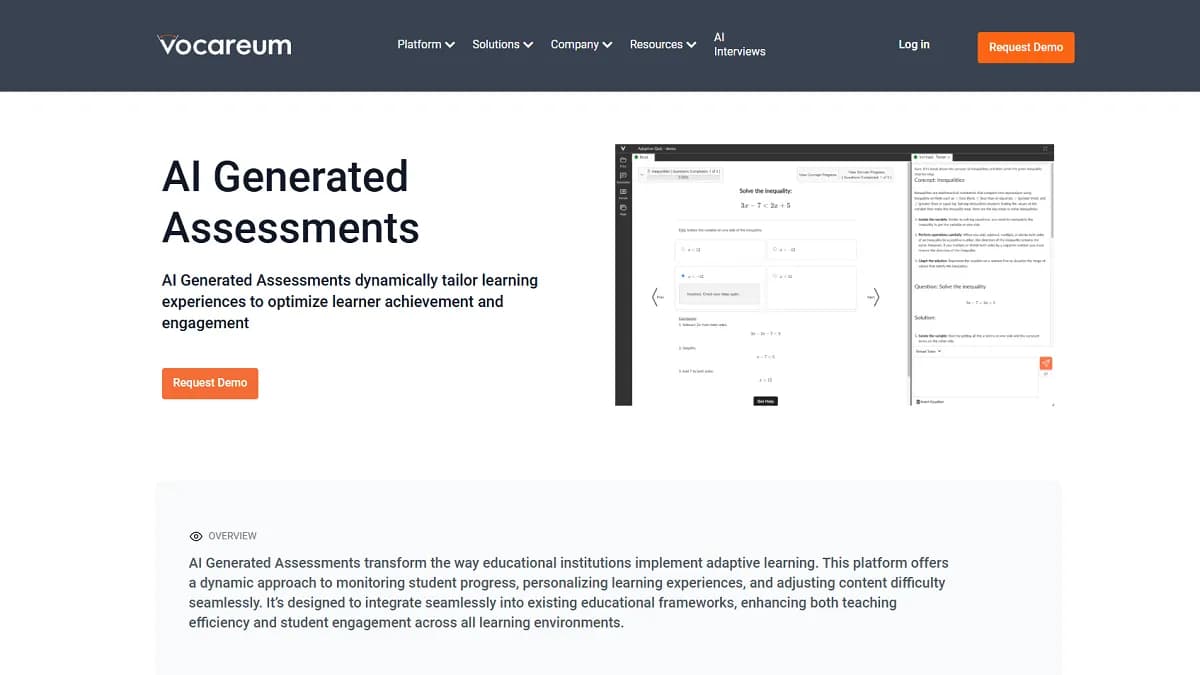
Vocareum Review: Revolutionizing AI and Cloud Education
Explore our comprehensive Vocareum review. Learn how this platform transforms AI and cloud education with hands-on labs, AI-driven assessments, and more.

DeePoster Review 2024: AI-Powered Poster Design Tool Guide
Discover how DeePoster's AI technology revolutionizes poster design. Learn about features, benefits, and alternatives in this comprehensive guide to automated design.
Tactiq.io Review: AI Meeting Assistant for Virtual Collaboration
Discover how Tactiq.io revolutionizes virtual meetings with AI-powered transcription, summarization, and follow-up features. Explore our comprehensive guide for practical tips.

Google Veo 2 Review: AI Video Generation Revolution
Explore our in-depth Google Veo 2 review. Learn about its features, benefits, and how it's transforming AI video generation. Get practical tips in our full guide.

AI Revolution: Google's Gemma 2 Boosts Developer Accessibility
Google's Gemma 2 release enhances AI performance and accessibility for developers. This article explores the latest AI advancements and their impact on the tech landscape.