
Explore The Best AI Websites & Tool
Your all-in-one toolkit for productivity, creativity, and development. Over 40 powerful tools to streamline your workflow.
SearchX(Twitter)'s Grok AI: How to Stop Your Data from Being Used
In a recent and somewhat controversial move, X (formerly known as Twitter) has begun using users' posts to train its new AI model, Grok, without explicit user consent. This decision has sparked significant debate about data privacy and user rights. Here's what you need to know about this development and how you can opt out.

X's Quiet Data Grab for Grok AI
Elon Musk's social media platform X has quietly enabled a setting that allows it to use your posts to train its Grok AI model. This setting is turned on by default, meaning that unless users actively disable it, their posts, interactions, and inputs are being used for AI training. This change was discovered by users and has not been widely publicized by X, leading to concerns about transparency and user consent.

How to Disable Grok AI Training
If you prefer not to have your data used to train Grok, you can disable this setting. However, it's important to note that this option is currently only available on the web version of X. Here’s a step-by-step guide to opting out:
1. Log into X on the web: Visit x.com and sign in to your account.

2. Access Settings: Click on the "More" button under your profile in the left menu bar.

3. Navigate to Privacy Settings: Click on "Settings and privacy," then "Privacy and safety."
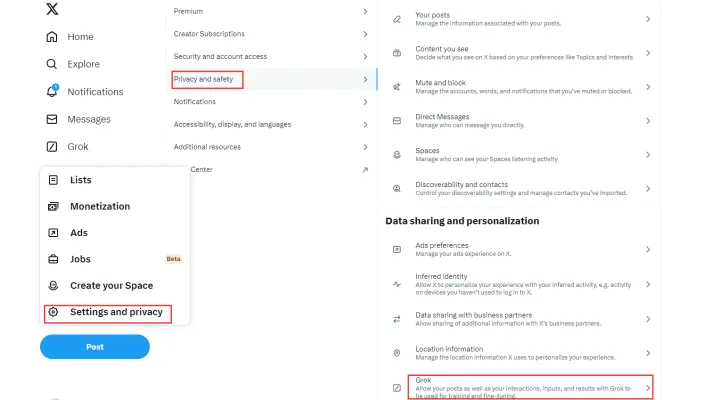
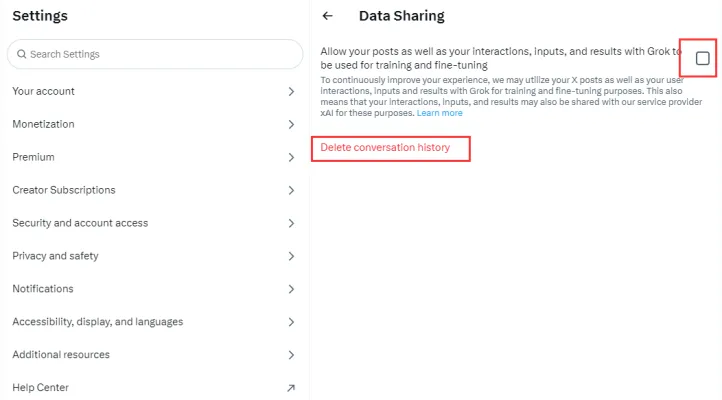
4. Disable Grok Training: Scroll down to find the "Grok" section. Uncheck the box that says, "Allow your posts as well as your interactions, inputs, and results with Grok to be used for training and fine-tuning."
The Broader Implications
This move by X is part of a larger trend in the tech industry where companies are increasingly using user data to train AI models. Meta, for example, has used public posts from Facebook and Instagram for similar purposes. OpenAI has also been known to use publicly available social media data to train its models. While these practices can lead to more advanced and capable AI systems, they also raise significant privacy concerns.
User Reactions and Industry Trends
The reaction from users has been mixed. Some appreciate the potential advancements in AI technology, while others are concerned about the lack of transparency and the default opt-in nature of the setting. This situation underscores the ongoing tension between technological innovation and privacy rights.
Conclusion
As AI continues to evolve, the balance between innovation and privacy remains a critical issue. Users must stay informed and proactive about how their data is being used. If you’re concerned about your privacy, make sure to disable the Grok AI training setting on X. For more information on the latest AI developments and tools, visit AIPURE.
Trending


Meta Halts Generative AI in Brazil Amid Regulatory Scrutiny
Meta, the parent company of Facebook, has suspended its generative AI tools in Brazil following regulatory pressure from the country's National Data Protection Authority (ANPD). This decision highlights the ongoing global debate over data privacy and AI development.

Edmentum Exact Path Review: Personalized K-12 Learning
Discover how Edmentum Exact Path revolutionizes K-12 education with adaptive assessments and personalized learning paths. Explore our in-depth guide for practical insights.
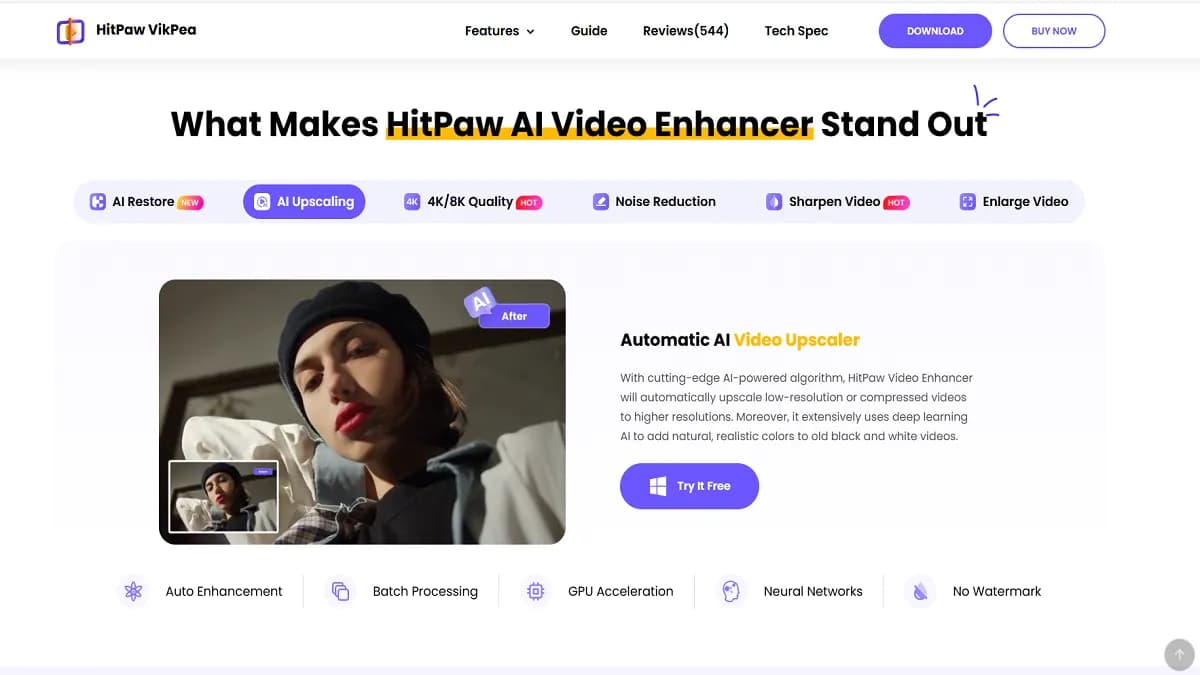
HitPaw Video Enhancer Review: AI-Powered Video Upgrade
Discover how HitPaw Video Enhancer revolutionizes video quality with AI. Explore features, benefits, and alternatives in our comprehensive guide.
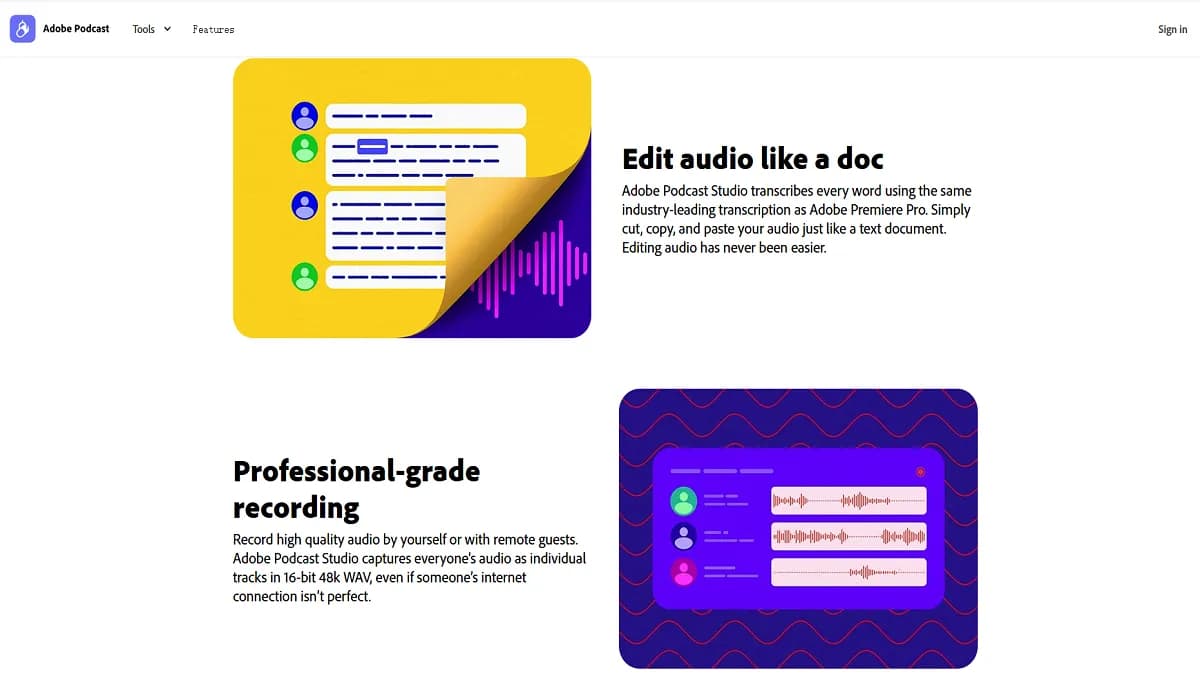
Adobe Podcast Review: AI-Powered Audio Creation Tool
Discover how Adobe Podcast revolutionizes audio editing with AI. Explore our comprehensive guide for practical tips on enhancing your podcast creation process.
How to Use Otio: AI-Powered Research & Writing Tool Guide
Learn how to use Otio, the AI research and writing assistant. Discover features, tips, and step-by-step instructions to enhance your productivity. Explore now!